Madrun
About
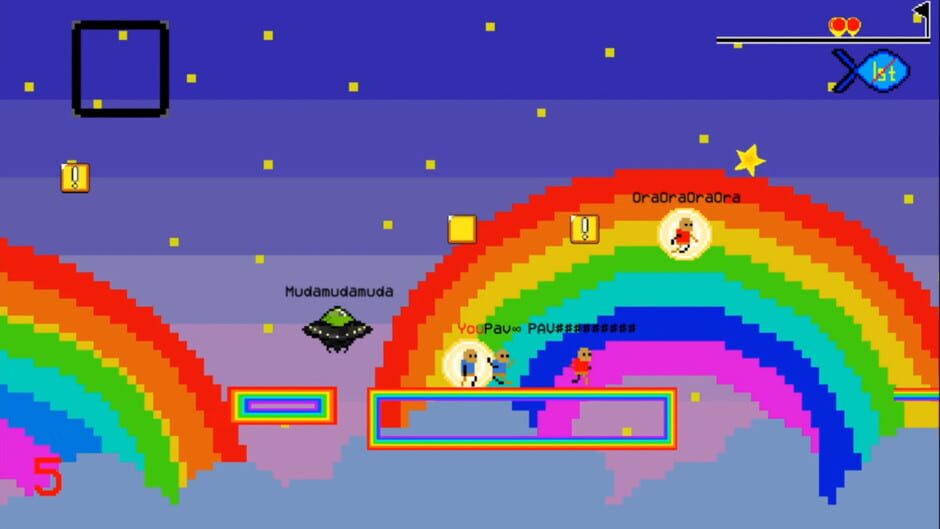
Tired of uneventful, single-player 2D platformers? This just another one of them...except you race against up to 7 other players online and create catastrophic chaos with items beyond insanity.
Storyline
-Gameplay The game consists of 20 levels, each with their own themes, gimmicks, and difficulty. Each race is unique. No matter how many times you play any level, a new race will never be the same. Racing is separated into three modes: Online VS, Local Duel, and Time Attack. In Online VS, you can connect and race with up to 7 other players. The bigger the room, the more chaos and destruction... In Local Duel mode, you can race offline against a friend on the same device on split-screen. The default controls are recommended (player 1 on WASD, player 2 on arrow keys). In Time Attack mode, you can race offline alone for the best record in every level. -Menu Navigation The title screen allows you to choose between the three racing modes, settings, credits, and help. The settings menu has multiple functions. First, you may change your controls. The Online Mode toggle allows you to choose between playing with players from all over the world or just from your region. You can turn on or off player names during online races and the minimap. Lastly, you can switch between full-screen and windowed mode. The help menu explains the functionality of each item in the game. The credits menu lists the contributors who made this game for you. In the Online VS menu, you can host a public room (anyone can join), host a private room (only players who know the exact room name can join), join anyone's public room, or join a private room with the correct room name. Once in a room, you'll be able to chat with the other players, and the host decides when the game will start. After the room starts, all players will vote for a level to race in and a vote will be chosen randomly. Then it's time to wreak havoc and race to the flag! While racing, you can press Enter to pause the game. In Online VS and Local Duel, you can either continue the match or quit the match from the pause menu. In Time Attack, you can also retry the level from the start. -Controls The default controls are A and D for running, W for jumping, and S for item. For player 2 in Local Duel, the respective controls apply to the arrow keys. You can navigate the menu with your mouse. You can change the key bindings to anything of your preference in the settings menu. -System Requirements This game can be played on Windows, Mac, or Linux systems. You'll need a x64-based system to play the game. Systems older than Windows 7 and MacOS X 10.8 are not recommended. Your GPU needs to support OpenGL 3.2 or newer. The game doesn't require a lot of processing power or memory. Systems that can run Chrome are sufficient for the game.
Playtime Estimates
No playtime estimates are available for this game. Estimate data may be unavailable for some titles.
Live Prices & Deals
Current store offers for selected market.
Multiplayer
Languages
| Language | Support |
|---|---|
| English | Interface |